Cut promo and
social videos, fast.

A fixed-canvas timeline: remove a clip and the gap closes, add one and it crops to fit. Your video stays the length you chose while you work.

Switch between Square, Wide and Mobile with one click. Built for promos, Reels and Shorts — keyboard-light, no project ceremony.

Download for Windows ~97 MB installer · Windows 10 & 11

One screen,
everything in reach.

Library, preview, timeline, narration ribbon and audio tools share one window. No panels to hunt for.

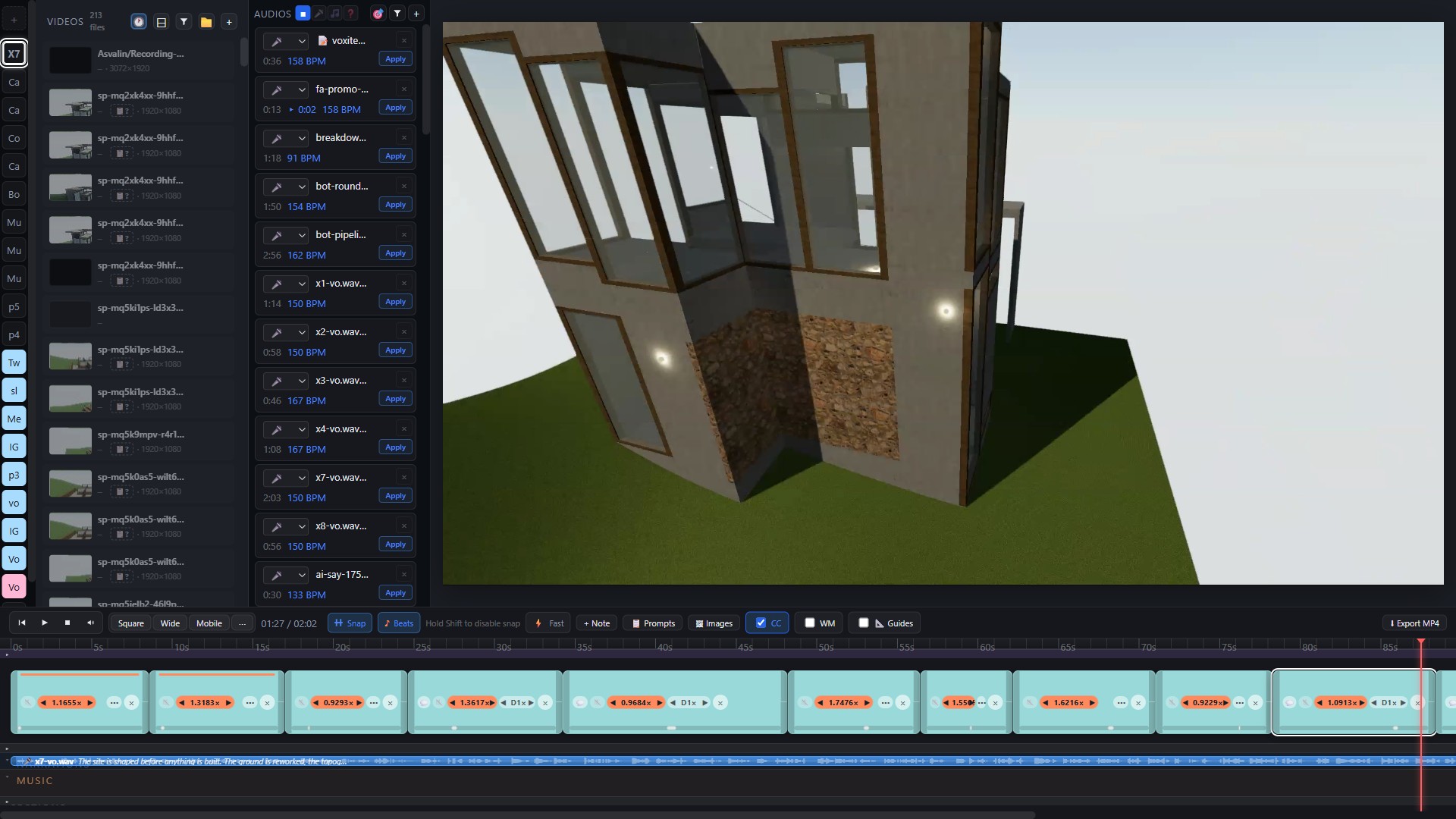
Vox Video Editor in wide 16:9 format with a multi-clip timeline
Wide format — cutting a 13-clip architecture promo
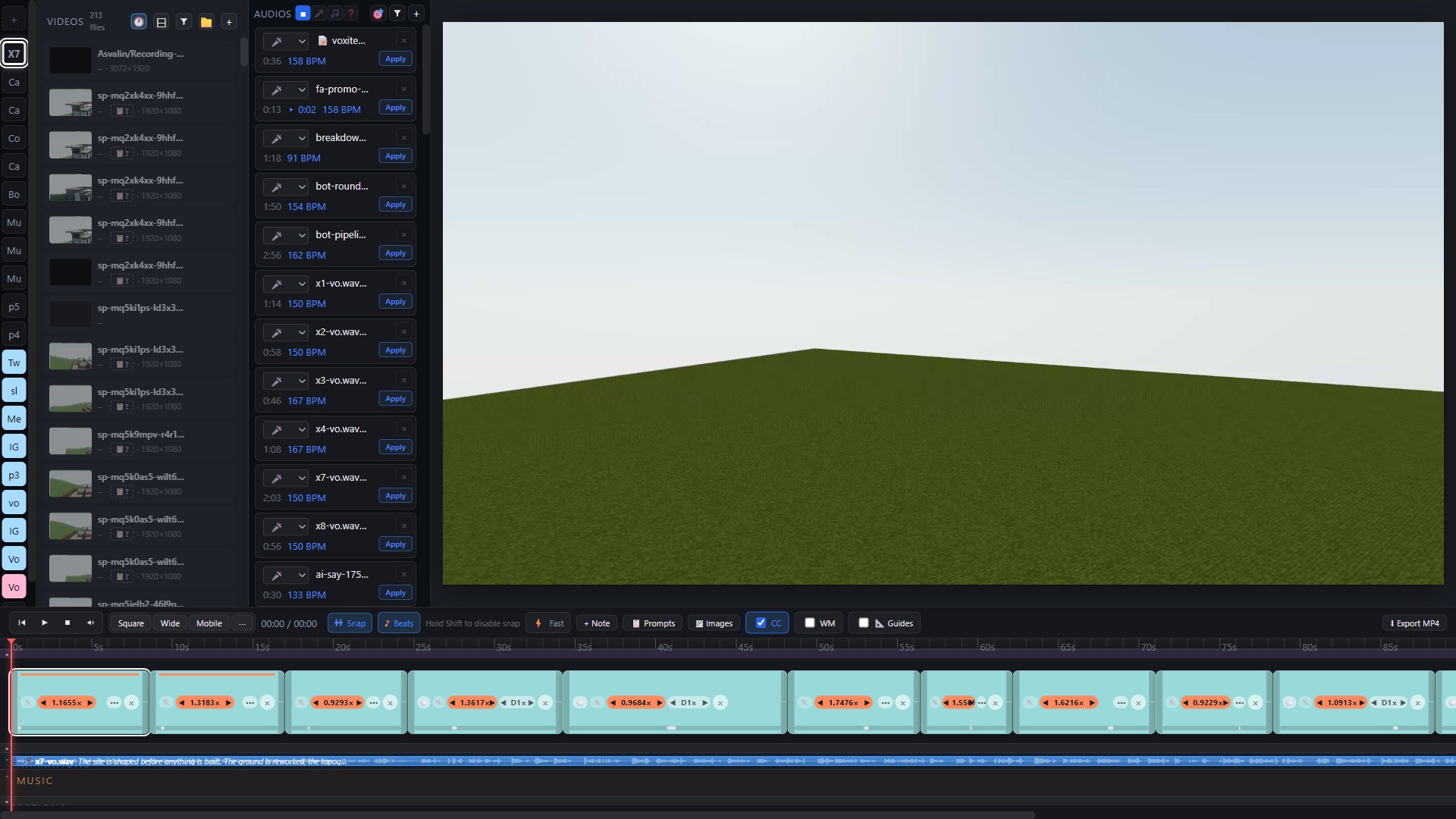
Full editor overview with media library, audio tools, timeline and word ribbon
Library, audio tools, timeline and word ribbon in one screen
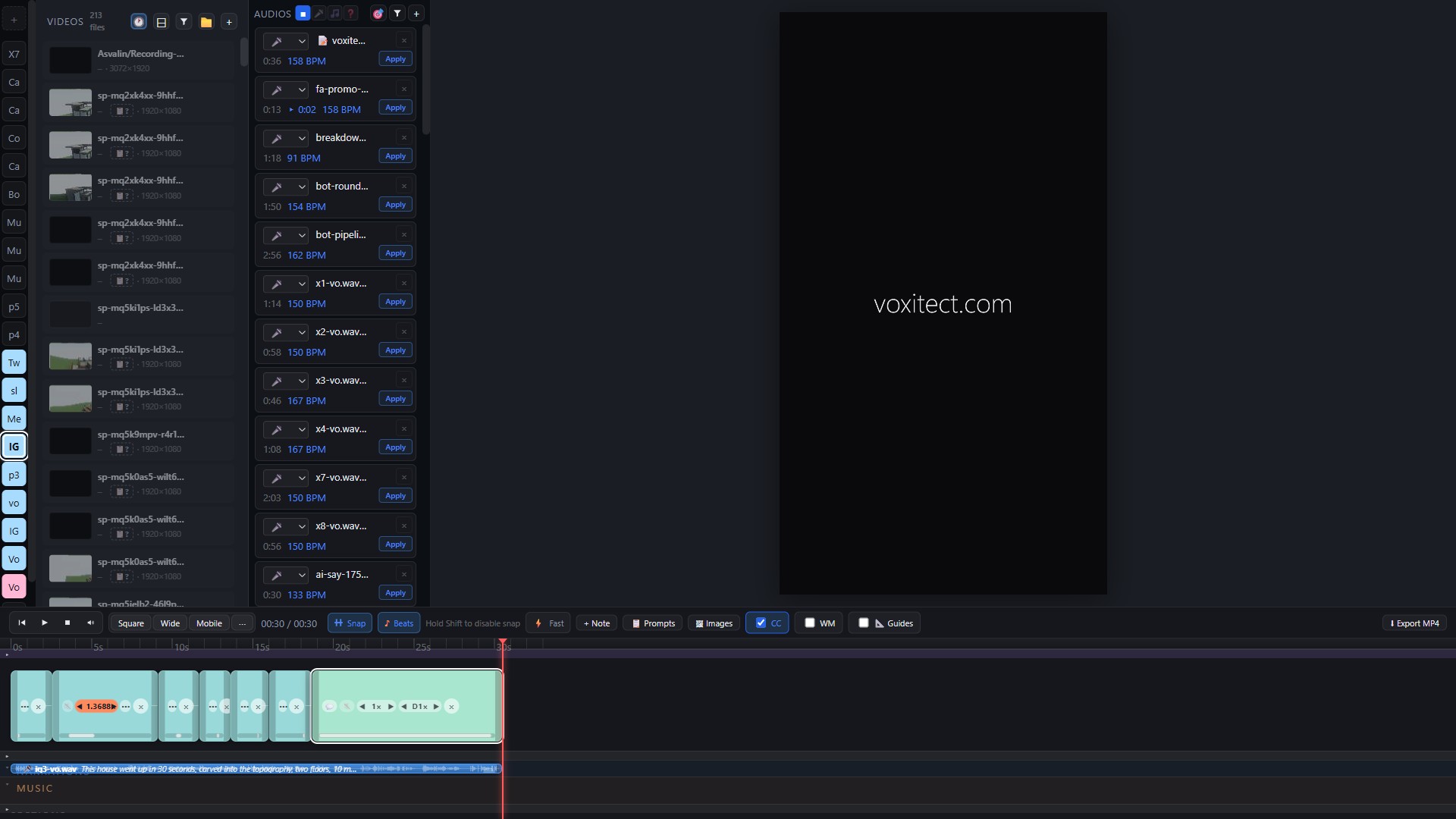
Editor in mobile 9:16 format
Mobile 9:16 format for Reels and Shorts
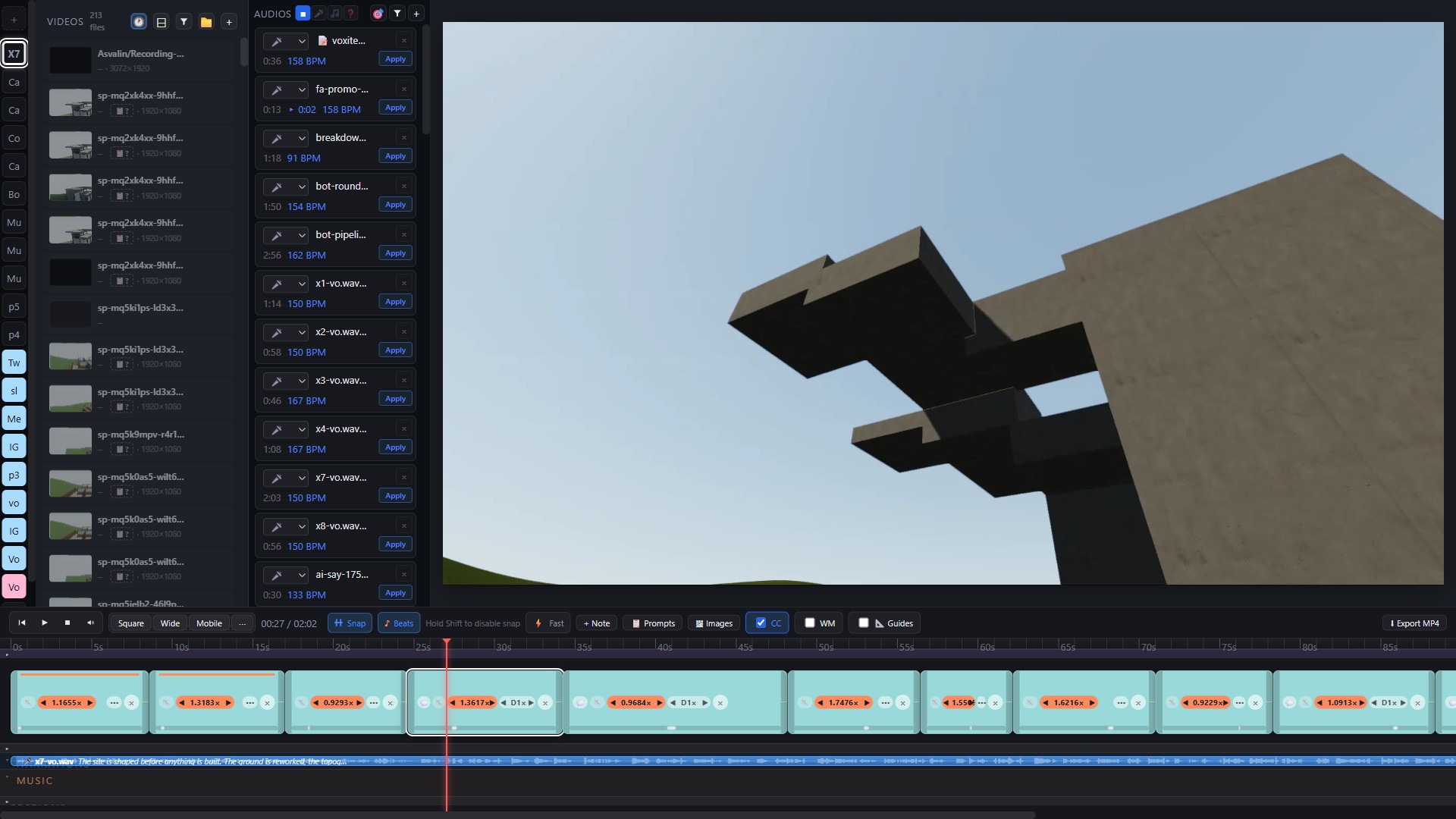
Frame-accurate seeking on the timeline
Frame-accurate seeking on the fixed-canvas timeline

Everything a cut needs.
Nothing it doesn't.

Built around one idea: the canvas is fixed, so every edit keeps your video whole.

Fixed-canvas timeline

Remove a clip and the gap closes. Add one and it crops to fit. The cut stays the length you chose — no drifting edits, no orphaned gaps.

Three formats, one click

Switch the whole project between Square, Wide (16:9) and Mobile (9:16) instantly. Same edit, every platform.

A library that watches

Point the media library at your folders and new footage appears as it lands. Smart filtering finds the clip you're thinking of.

Word-level narration ribbon

Every spoken word, synced under the timeline. Cut to the language, not just the picture.

Beat markers from BPM

Give it your music's BPM and the timeline grows beat markers. Cuts snap to the beat.

Per-clip speed

Slow a shot down or speed it up without touching anything else on the timeline.

Direct MP4 export

Render straight to MP4. No intermediate formats, no export wizard.

Moved media, resolved

Projects find moved files again by filename. Reorganize your drive — the edit survives.

From installer
to first export
in minutes.

01

Download the installer

One .exe for Windows 10 & 11. Run it and the editor opens. It also runs from source with Node if you prefer.

02

Open your media folder

Point the library at the folder where your footage lives. It watches the folder and keeps the library current.

03

Cut and export

Drop clips on the fixed canvas, cut, pick a format, export an MP4. Done.

Updates itself.

When a new version ships, an update pill appears in the titlebar — one click and the editor refreshes. No reinstalls, no download pages.